← Back to GeminiPulse Home & Build Chronicle
Database Migrations Demystified: From MySQL & phpMyAdmin to Cloud Firestore & Real-Time JSON
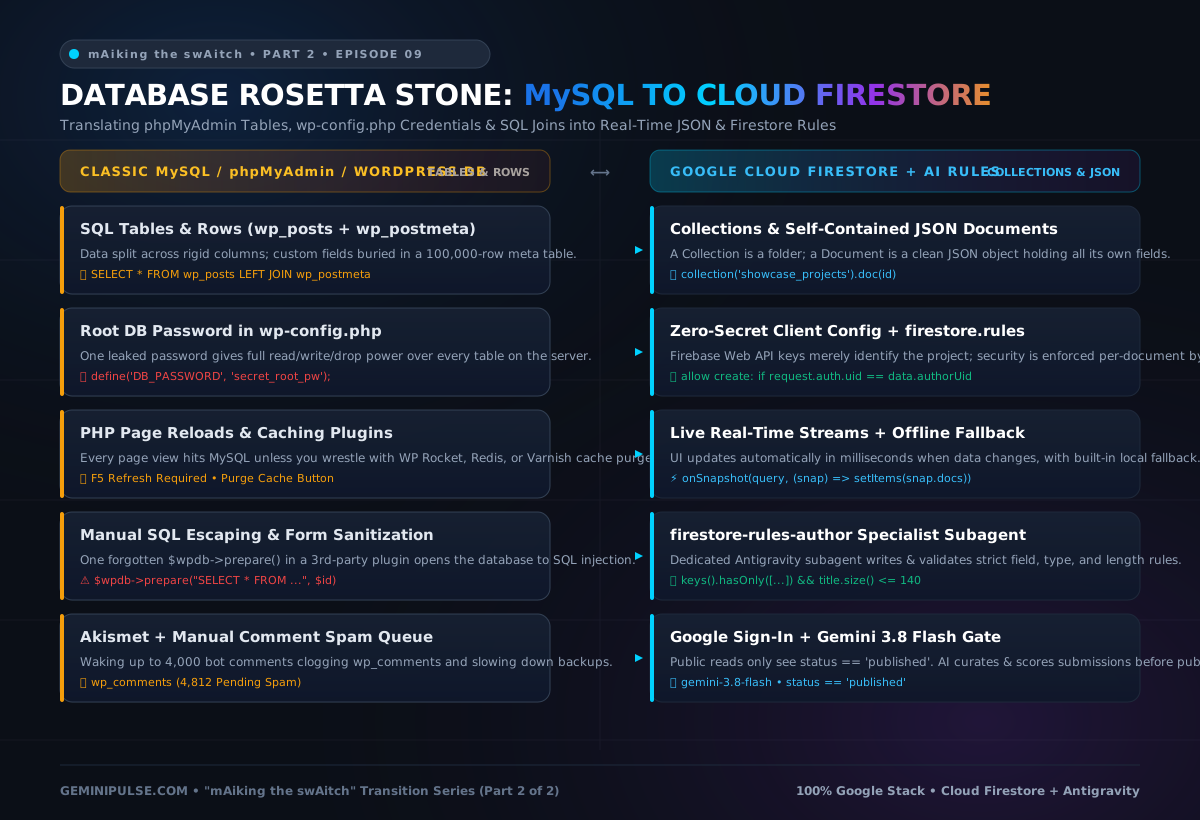
Once you see how FTP and staging subdomains map to Git and Worktrees, the next question every WordPress or PHP veteran asks is: "Where did my database go? Where is phpMyAdmin, why are there no SQL tables, and why is my Firebase config sitting in a public JavaScript file?" Here is the complete mental model shift.
1. The Database Rosetta Stone: MySQL vs. Cloud Firestore
| Classic MySQL / phpMyAdmin (WordPress) | Google Cloud Firestore + Antigravity | What Actually Changed |
|---|---|---|
SQL Tables (wp_posts, wp_comments) |
Collections (showcase_projects, forum_threads) |
A Collection is a folder of JSON documents. You never run CREATE TABLE or ALTER TABLE migrations—collections appear automatically when the first document is saved. |
Rows + wp_postmeta Key-Value Joins |
Self-Contained JSON Documents | Instead of splitting one item across wp_posts and 25 rows in wp_postmeta, a single Firestore document holds all its fields in clean JSON. Zero joins required. |
Root Password in wp-config.php |
Public Project Config + firestore.rules |
Your frontend Firebase config is just a public address. Security is enforced per-document at Google's edge by declarative firestore.rules tied to Google Sign-In (request.auth.uid). |
| Page Refreshes & Caching Plugins | Real-Time onSnapshot() Listeners |
When a document is approved in Firestore, connected browsers receive the delta automatically in milliseconds—no page reload or cache-purge button needed. |
Manual $wpdb->prepare() Escaping |
firestore-rules-author Subagent |
Inside Google Antigravity, a dedicated specialist subagent writes and audits strict field whitelist, type, and length rules before you deploy. |
2. Interactive Side-by-Side Translator: PHP/MySQL ↔ Cloud Firestore [SIMULATED DEMO]
Click any common webmaster workflow below to compare the classic WordPress/MySQL code against the exact Google Cloud Firestore pattern powering GeminiPulse.com:
3. Solving the #1 Panic: Why Are Firebase Keys in Frontend Code?
In cPanel and WordPress, wp-config.php holds a master password (DB_PASSWORD). If that file ever leaks, an attacker has root privileges over every table.
In Firebase and Cloud Firestore, browsers talk directly to Google's global edge network without a middleman PHP server. Therefore:
- The Firebase API Key is just a public project locator—it tells Google Cloud which project the browser is talking to.
- The real lock on the door is
firestore.rules—evaluated on Google's servers before any read or write is permitted. Even if someone copies your config into their terminal, they cannot bypassrequest.auth.uid == request.resource.data.authorUidor delete a single document.